



20Bet App
Add 20Bet to your home screen and keep the sportsbook and casino within easy reach. Open it in one tap and pick up where you left off.
 Download
  Download
 Most people open a betting platform because something is happening now—a match is about to start, the odds have shifted, or there is time for a few quick spins. That is where the 20Bet app fits in.
It works as a PWA, so the site can be saved to a phone and launched from the home screen without a standard app-store install. The sportsbook, casino lobby, cashier, bonuses, and account history all stay connected to the same profile used on desktop.
Mobile App for Android
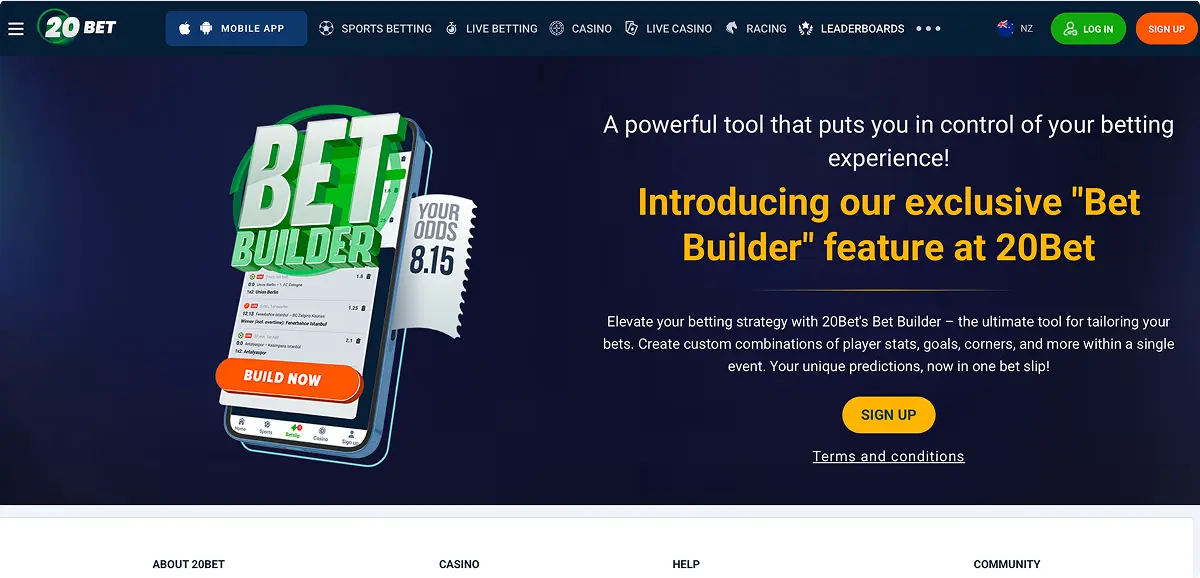
Android phones and tablets support the PWA through compatible browsers such as Chrome. After installation, the 20Bet icon appears on the home screen and launches the platform without the usual browser tabs and address bar getting in the way.
The Android layout keeps the main navigation within easy reach. Sports, live events, racing, casino games, bonuses, and banking can be opened from the same menu, while the account balance remains connected to the desktop version.
How to Download and Install
The official 20Bet website handles the Android installation. The page has a download 20Bet app prompt, or you can pick the Chrome installation option inside its browser menu. No 20Bet APK needed. The setup follows a short sequence:
- Open 20Bet in Chrome.
- Sign in or remain on the public homepage.
- Tap the browser menu.
- Select Install app or “Add to Home screen”.
- Confirm the icon name and finish the installation.
The exact wording depends on the phone and Android version. Both options create the same PWA shortcut.
There is no need to download 20Bet APK files from an unofficial directory. The PWA does not require a separate Android package, permission changes, or manual updates. This also keeps the mobile version tied to the current New Zealand site rather than an old regional build.
Compatible Devices
The Android version works best on recent phones and tablets with an updated browser. Standard sportsbook pages and regular slots are fairly light, while live dealer video, detailed match trackers, and heavily animated games require more memory and a stronger connection.
A mid-range modern phone should manage the main platform without difficulty. Older devices may take longer to open live tables or switch between busy event pages.
Android tablets are particularly comfortable for sports betting. Their wider screens leave more room for league lists, markets, scores, and the bet slip, reducing the need to jump between panels.
Mobile App for iOS
Apple devices use the same PWA format, but the shortcut is created through Safari. There is no conventional App Store product to install. The site is saved to the home screen and then opens in an app-style window.
The iPhone version gives access to the same account used on desktop or Android. Open bets, bonus balances, transaction history, favourite events, and casino activity remain linked across devices.
How to Download and Install
On Apple devices, the 20Bet app download is completed through Safari:
- Open the official 20Bet site.
- Tap Safari’s “Share” button.
- Scroll to “Add to Home Screen”.
- Check the shortcut name.
- Tap “Add”.
The new icon can then be launched like any other app. To download 20Bet on an iPhone or iPad, no store search or separate installer is required.
Compatible Devices
The iOS version is designed for supported iPhones and iPads running a reasonably current operating system. Smaller screens suit quick account checks, slot sessions, and simple bets, while larger iPhones give the sportsbook more space.
An iPad offers the strongest layout for live casino play and detailed event pages. Video streams, market groups, and the betting ticket are easier to follow when the screen is not divided into narrow panels.
Connection quality also affects the experience. A standard slot can run comfortably on mobile data, but live blackjack or an in-play event stream uses more bandwidth
Sign UpFeatures of the App
The 20Bet application carries over most of the desktop platform instead of presenting a reduced selection. Casino and sportsbook tools remain under one account, and the menu can be switched without returning to the home screen.
Key functions include:
- Pre-match, live, and racing markets.
- Single bets, multis, booking codes, and QuickBet.
- More than 13,000 slots and live dealer games.
- Promotions, VIP rewards, deposits, and withdrawals.
- Account verification, transaction history, and support.
The sportsbook includes boosted prices, Hot Combos, favourite events, forecasts, results, leaderboards, and bettor tournaments. Odds can be displayed in decimal, fractional, American, Malaysian, Indonesian, or Hong Kong formats.
The casino section uses category and provider filters to keep the large catalogue manageable. Titles can be sorted through Popular, New Games, Hot, Bonus Buy, Fast Games, Megaways, and other lobby tabs.
Because the PWA loads directly from the site, platform changes appear automatically. A new slot, payment option, or betting feature does not require a separate update from an app store.
Registration Process via the App
The 20Bet casino app uses the same registration form as the main site. The process begins with the welcome-offer choice: casino bonus, sports bonus, or no bonus at that stage.
The first form screen asks for country, currency, email address, password, and an optional promo code. New Zealand can be selected as the country, NZD is available as the account currency, and local numbers use the +64 prefix.
The remaining screens collect personal and contact information:
- Enter first name, surname, gender, and date of birth.
- Add the street address, postcode, city, and phone number.
- Confirm legal age and accept the account terms.
- Submit the form and complete any requested email or phone confirmation.
The same account can then be used on the PWA, mobile browser, and desktop site. 20Bet Bonus selection should be checked before the first deposit because the casino and sportsbook welcome offers have different qualifying rules.
Sign UpMobile Website Version
The 20Bet mobile website provides the full platform without adding anything to the home screen. It opens through the browser and gives immediate access to sports, racing, slots, live tables, promotions, banking, and support.
This version has the same account data as the PWA. The main difference is presentation: browser controls remain visible, and the site is reopened through a tab or bookmark rather than a dedicated icon.
Menus reshape themselves for smaller screens. The sportsbook places the bet slip in a separate panel, while casino categories and provider filters are arranged for touch navigation. Deposits and withdrawals also use mobile-friendly forms with the relevant minimum amount shown beside each method.
The browser version is useful for testing the platform before installing the shortcut. It also works well on temporary devices where leaving an icon behind would be unnecessary.
Mobile Games
The casino catalogue is a major part of the mobile experience. More than 13,000 slots sit alongside live tables, crash games, Bonus Buy titles, Megaways releases, and fast-play products.
The lobby currently features familiar titles such as Sweet Rush Bonanza, Coin Strike XXL: Hold and Win, and Burning Chilli 243. Provider filters uncover studios such as Pragmatic Play, BGaming, and Play’n GO without forcing users to scroll through the entire library.
Most slots arrange the reels and controls vertically, making portrait mode the natural choice. Games with wider layouts may rotate into landscape or offer a better view on a tablet.
Live casino tables are included as well. Roulette, blackjack, baccarat, poker, and game shows open through the same balance and account. Video quality adjusts to the connection, although a stable network produces a noticeably smoother table.
The 20Bet app also keeps bonus balances accessible while switching between games. That is useful when a promotion applies only to selected slots or includes a maximum stake condition.
Sign UpMobile Betting
The sportsbook has been shaped around fast movement between events. Sports and competitions sit in collapsible menus, while selected odds are sent directly to the mobile bet slip.
Football has the largest presence, but the schedule also covers cricket, basketball, tennis, ice hockey, volleyball, table tennis, darts, golf, esports, and racing. Featured competitions and boosted markets are placed near the top of the lobby.
A standard bet follows a simple path: choose the event, tap an odd, open the slip, enter the NZD stake, and review the possible return. The ticket supports both singles and multis, while booking codes can load a prepared group of selections.
Live betting adds current scores, clocks, periods, and constantly changing prices. Football pages may separate markets into Main, Goals, Corners, and Combo tabs. Temporarily unavailable options are locked until the market reopens.
QuickBet shortens the confirmation process, while the standard slip displays more detail before submission. On phones, the ticket opens as its own panel. Tablets can show more of the event page and slip together, which feels closer to the desktop sportsbook.
Frequently Asked Questions
Does 20Bet have a native Android or iPhone app?
Can the PWA access both sports betting and casino games?
Will the app need manual updates?